Prepare the network
Network: Tailscale + Cloudflare Tunnel
TL;DR — the 30-second summarytldr
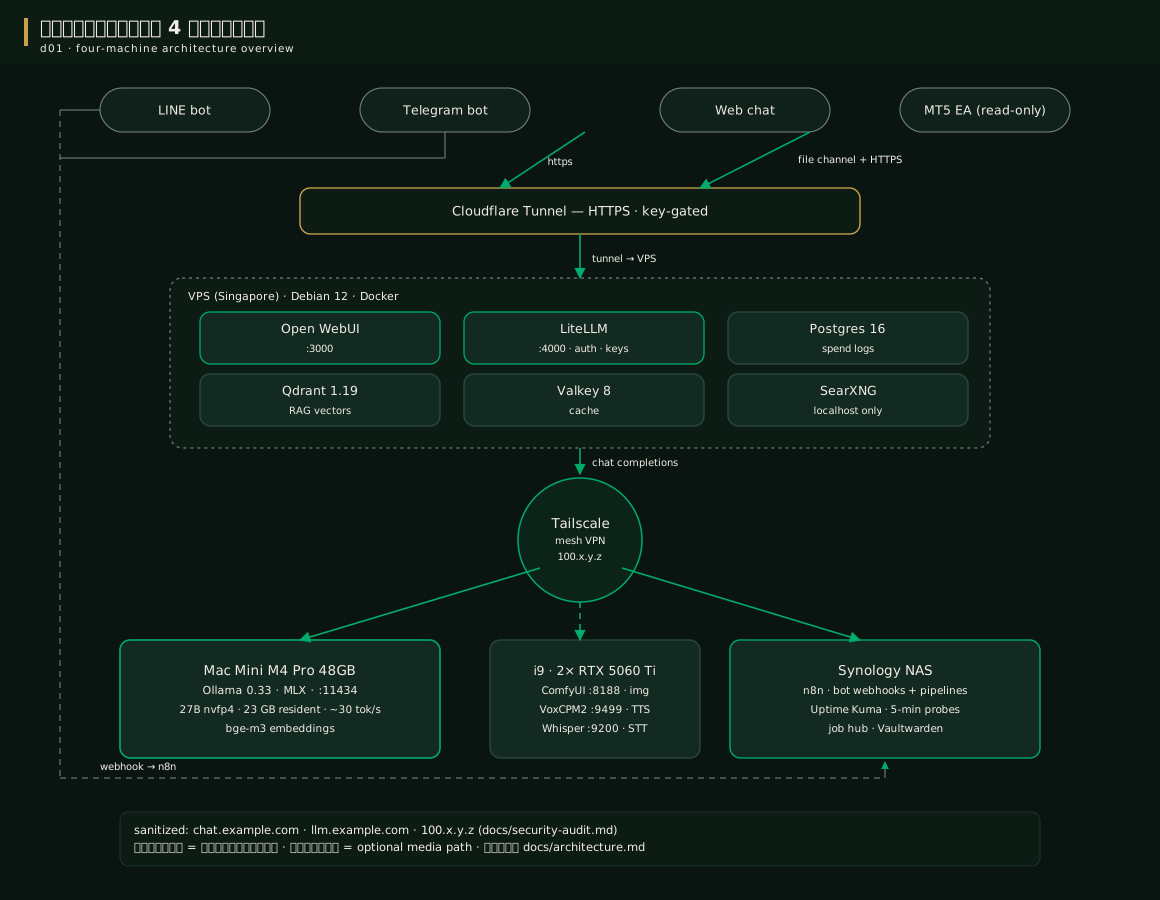
Before installing anything at all, prepare the system's "blood vessels" first — the private network Tailscale (mesh VPN) + the door to the internet Cloudflare Tunnel The idea is simple: every machine talks through a secret tunnel, and opens to the outside world through a single door with a guard checking keys — no ports opened on the router at all
When to usewhen to use
Do this step as soon as you have 2 machines or more — and it must happen before the VPS install in chapter 6, because compose will call the Mac over its Tailscale IP
- Tailscale use case: machines in the house talking to each other (VPS -> Mac, NAS -> i9), both on the LAN and from outside — you get a safe IP that looks like 100.x.y.z
- Cloudflare Tunnel use case: exposing services for outsiders to call over HTTPS (the web chat, the bot API) without anyone seeing our home IP
- These two work together; they do not replace each other
How-tohow to
Step 1 — sign up and install Tailscale on every machine (free for personal use):
- Create an account at tailscale.com (Google/GitHub login works)
- Install on the Mac:
brew install --cask tailscalethen log in - Install on the VPS (Debian/Ubuntu): the curl command from tailscale.com/download, then
tailscale up - Install on Windows/others as usual, then approve every machine in the admin console
- Check that everyone sees each other:
tailscale status
Here is the real output from a machine in our fleet (some IP digits hidden for safety):
Your machines will get their own name+IP — write down the Mac's IP for chapter 6
Step 2 — set up Cloudflare Tunnel for 2 domain names (chat and llm):
- Your domain's DNS must be hosted on Cloudflare first (the free plan is enough)
- Install cloudflared on the VPS: follow the guide at developers.cloudflare.com/cloudflare-one/connections/connect-networks/
- Create the tunnel and point 2 routes:
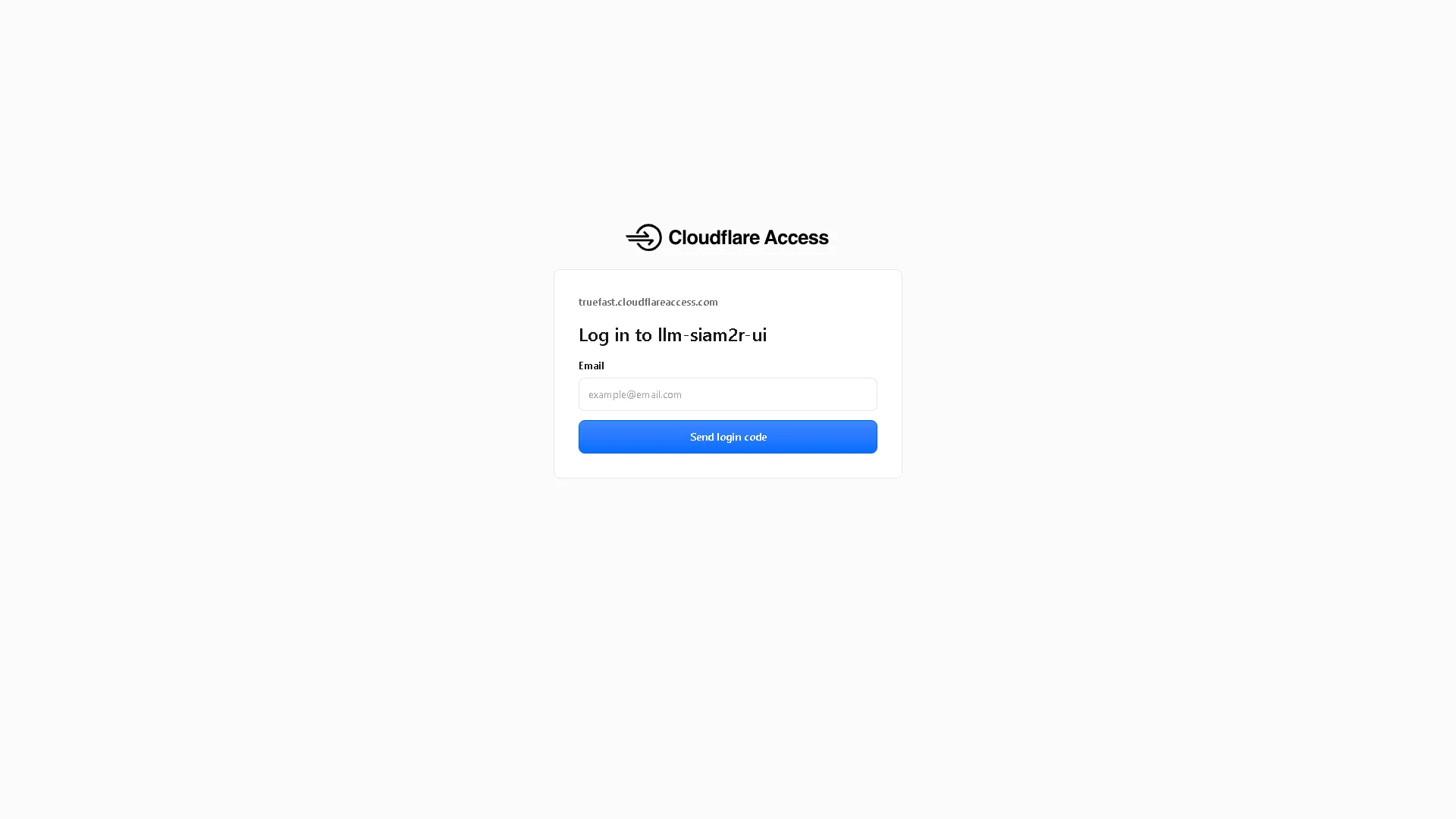
chat.yourdomain.com → localhost:3000andllm.yourdomain.com → localhost:4000 - Enable the Cloudflare Access second gate (email OTP login) for admin pages — see the real screenshot below
if you get stuck anywhere → chapter 16
Config exampleconfig example
The configuration principle to remember through the whole manual:
# BOMLLM's iron rules for the network
1. every service binds 127.0.0.1 only (except the Tailscale interface)
2. the public has exactly one way in = Cloudflare Tunnel
3. the Mac exposes Ollama to the Tailscale IP only (pf firewall open)
4. SSH uses a non-standard port + key only + ufw DROP by default
Source: docs/security.md — re-checked on every audit round
Pro tip — lessons from the fieldpro tip
FAQfaq
Q: Is Tailscale really free, and does data leak? — the personal plan is free for 100 devices, the connector is open source, and traffic is WireGuard-encrypted end to end — Tailscale's servers only handle the "matchmaking"; they never read your data
Q: No domain of your own? — a .com domain costs ~300–400 baht a year and Cloudflare's free plan is enough for the tunnel — the best-value spend in the whole system
For other questions see the FAQ
See alsosee also
- Chapter 6 · The VPS = storefront — the next step once the network is ready
- Chapter 15 · Security — the bind table for every service
Figuresfigures
Videovideo
Real screen recording for this lesson · click play to hear the summary · not investment advice
▶ Watch the manual video: https://youtu.be/O4hM39cgDCY