Installing extra models and add-ons
Models, embeddings, tools, pipelines
TL;DR — the 30-second summarytldr
This chapter levels up the storefront: wire in knowledge-base RAG (embeddings + reranker), an in-house web search engine, and add-on tools (tools/pipelines) — everything is free and runs on our own machines
When to usewhen to use
Do this once the web chat already works normally (chapter 9) and you want:
- An organizational knowledge base — upload PDFs, documents and manuals, then ask questions answered from the actual files
- Answers with sources — an in-house web search system plus citations in the reply
- Better RAG quality — a reranker picks the passages that are genuinely relevant before they reach the model
How-tohow to
Part 1 — Embeddings (the heart of RAG): the model that turns text into vectors, bge-m3, runs free on the Mac
# Check it is already on the Mac (if not: ollama pull bge-m3)
ollama pull bge-m3

# The WebUI calls it through the LiteLLM route named local-embed
# (already set in litellm.yaml: model=ollama/bge-m3, api_base=Mac)
WebUI-side settings: RAG_EMBEDDING_ENGINE=ollama + RAG_EMBEDDING_MODEL=bge-m3 (chapter 6)
Part 2 — The vector store: Qdrant holds all the vectors (already running from bootstrap, bound to localhost only) — upload documents on the WebUI Workspace page: drag files in → the system chunks them → makes embeddings → stores them in Qdrant
Part 3 — Reranker (raising precision): qwen3-reranker-4b runs on the i9 (:11435) and ranks "which document chunks really relate to the question" before they are sent to the model — one important rule: if the reranker dies the system fail-opens back to the un-re-ranked results (a timeout guards it) — it is not a whole-system crash
Part 4 — In-house web search: SearXNG (already running since chapter 6) — enable it per question from the "web search" button in the chat box; search results are attached as context, not as commands — the model is taught by system prompt to obey the system owner only
Part 5 — Tools/Pipelines: the storefront supports add-on plugins (e.g. image processing, external API calls) — install them via the Admin Panel → Functions/Pipelines menu; we use them lightly: mostly generating images through images.py to the chapter 11 router
If anything gets stuck → chapter 16
Config exampleconfig example
The whole RAG pipeline in one view:
User question (WebUI)
  -> search the Qdrant store with vectors from bge-m3 (done on the Mac, free)
  -> the reranker on the i9 ranks the most relevant document chunks
  -> merge in the SearXNG results if web search is enabled
  -> send "question + selected documents" to the main model on the Mac
  -> the answer cites [1] [2] as the user sees them
Every box stays in-house: VPS (Qdrant+SearXNG), Mac (embeddings+model), i9 (reranker)
Pro tip — field-tested advicepro tip
FAQfaq
Q: Can it read Thai-language uploads? — Yes; bge-m3 supports many languages including Thai, and the main model answers in Thai with citations pointing at the right chunks
Q: Web search sometimes returns odd answers? — there are cases where, with web search enabled, the model says hello instead of answering a live price question (being tracked in a repo issue); the workaround: ask directly without web search for real-time data, or enable it only for general questions
For other questions see the FAQ
See alsosee also
- Chapter 9 · First run of Open WebUI — storefront fundamentals
- Chapter 11 · Images and voice — the heavier add-ons
Figuresfigures
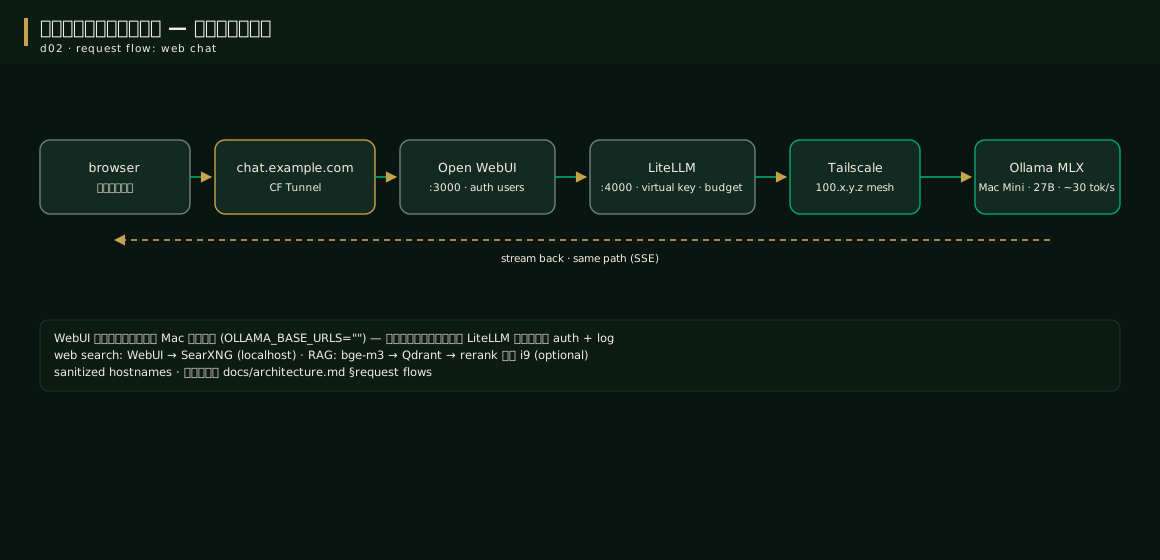
Videovideo
Real screen recording for this lesson · click play to hear the summary · not investment advice
▶ Watch the manual video: https://youtu.be/O4hM39cgDCY