PART 3 · Signals
Big signals and Entry/SL/TP
A big signal = a Range Filter flip + 2 gates — and when one fires, Entry/SL/TP come with it: Entry = the close of the reversal candle, SL = ATR×1.5, TP = 1R·2R·3R. But seeing a signal is not a reason to enter immediately; first check the levels plus the confluence
Chapter summary video
Real chart screen recording · not investment advice
Listen to the TL;DR summary of this chapter
TL;DR
A big Buy/Sell signal fires when the Range Filter flips direction and it passes 2 gates — but seeing a signal is not an instant entry; first check Entry/SL/TP plus the confluence. Entry = the close of the candle where the Range Filter flips / SL = fixed ATR(14)×1.5 / TP = 1R·2R·3R — all three are estimates and must be used together with confluence
1 · How a big signal forms
A big signal needs two things combined:
- The Range Filter flips direction — the color changes and the direction reverses; this point is the heart
- 2 gates — the Gold Meter is on and the Reversal Band is always on
Flip on the big-signal switch in Redhat and the signals appear on the chart
Big signal = a Range Filter flip + passing the 2 gates
2 · What the screen looks like
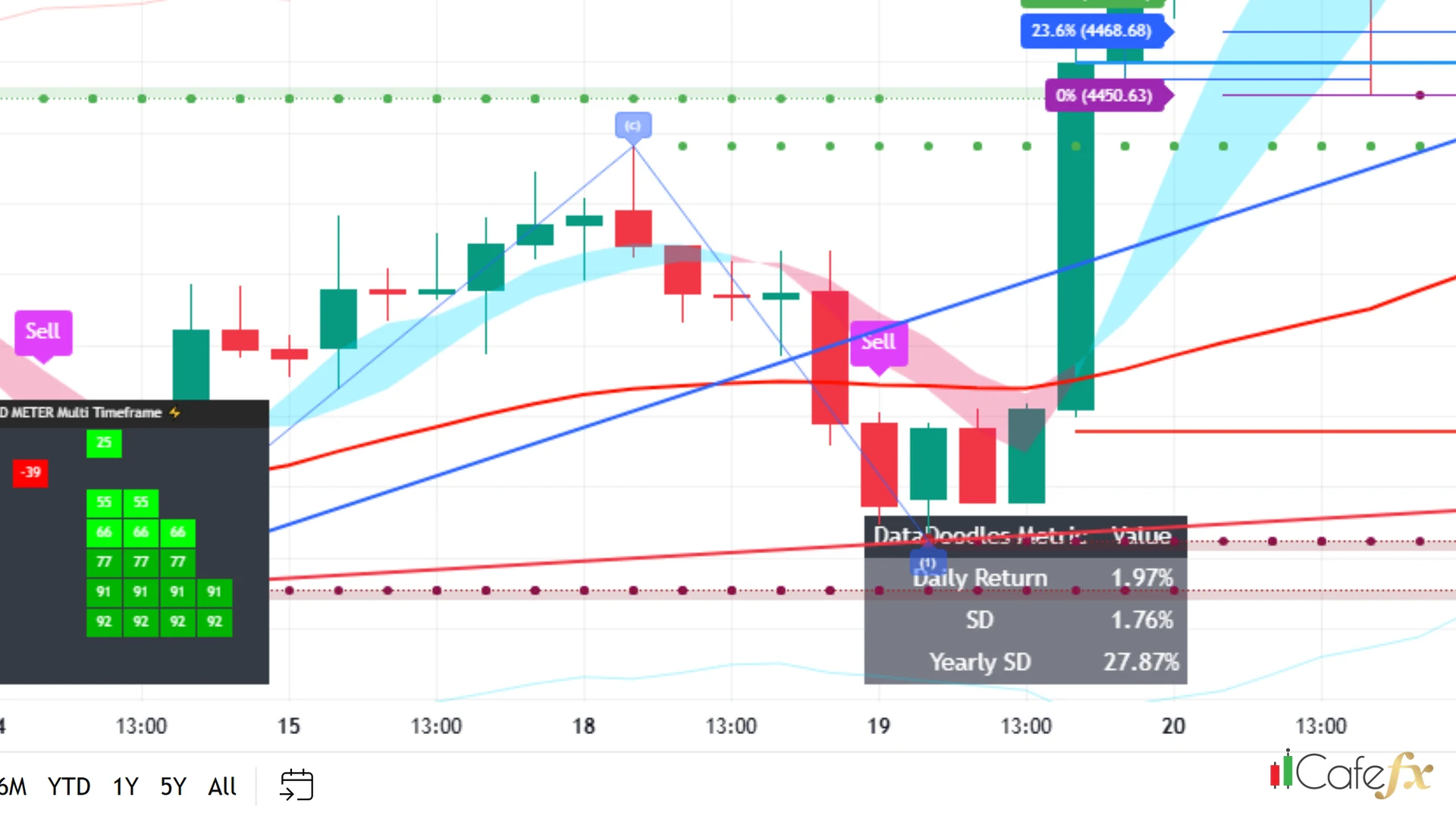
On the chart you see a big Buy box (blue) or a big Sell box (pink) appear near the candle where the Range Filter flips — noticeably bigger than the recurring small signals
3 · What a gate is
A gate = a filter that strains out fakes, not a weight booster — if the Range Filter flips but the Gold Meter does not chime in, no signal is issued and the flip is allowed to pass by as a fake
Gates exist to filter out fakes, they are not a green confirmation stamp — passing a gate makes a signal cleaner, not one hundred percent

4 · The 2 default gates
By default Redhat enables only 2 gates: Gold Meter + Reversal Band — Multi-TF is off by default, so you can see big signals without ever turning Multi-TF on
Multi-TF off by default = the real gate count is 2, not 3 — the Multi-TF option appears on screen, but the defaults do not use it
5 · Signal ≠ instant entry
When you see a big signal, do not enter yet — next step: check the Entry / SL / TP and the confluence (sections 6-11 below)
- See — the big Buy/Sell box appears
- Check — are Entry/SL/TP plus the confluence all in place
- Then enter — not the instant you see the signal
"Signal ≠ instant entry — check Entry/SL/TP plus the confluence first"
6 · What Entry is
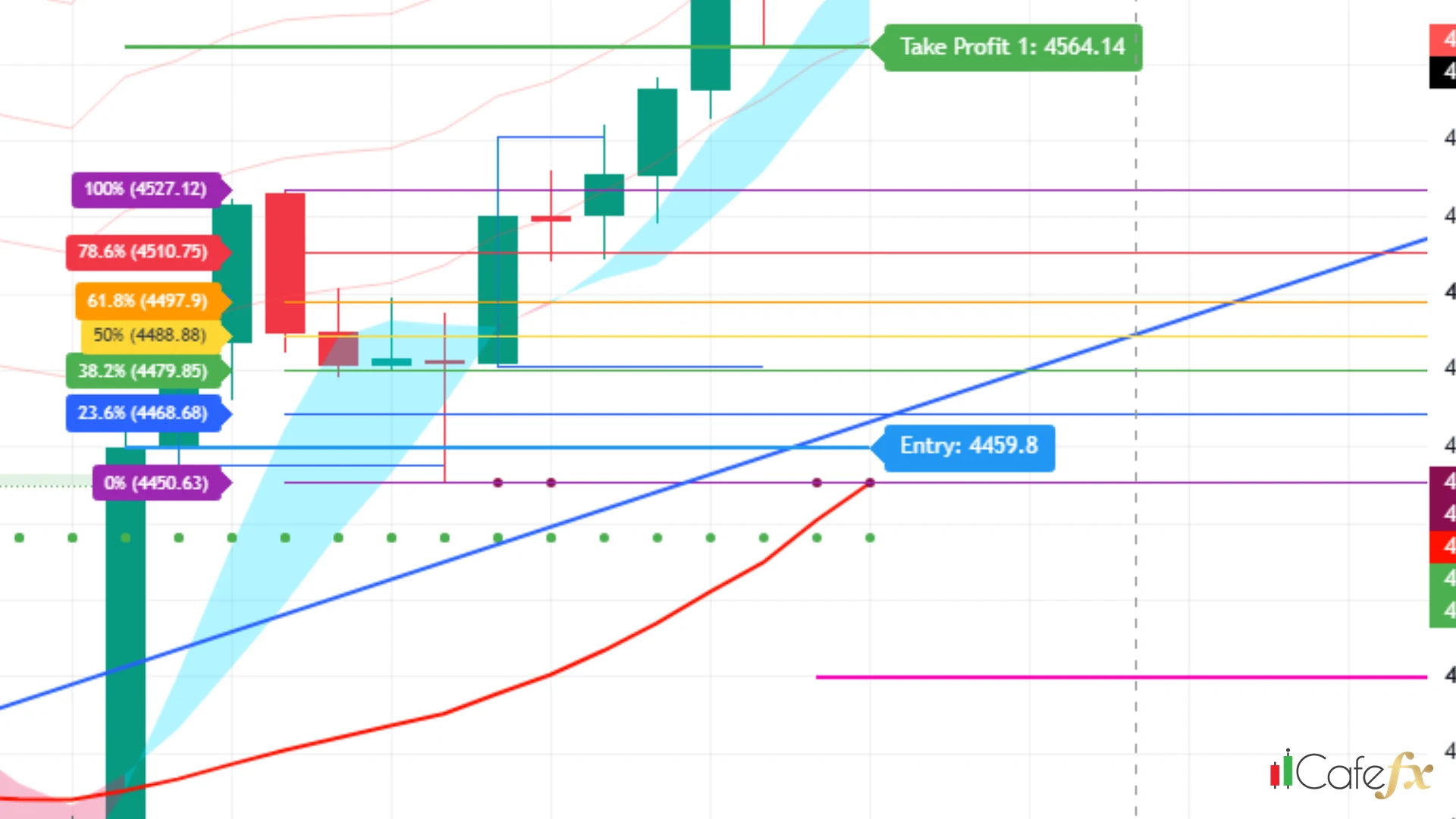
Entry = the closing price of the candle where the Range Filter flips direction — Redhat draws the Entry line on the chart so you can see it clearly, no guessing needed
7 · Entry ≠ Fib 0% ≠ Elliott
On the chart Entry + Fib 0% + the Elliott start point (1) usually sit very close together — but they are three different things, so do not confuse them:
- Entry — the close of the reversal candle (from the Range Filter)
- Fib 0% — the starting point of the Fibonacci lines (from the Fib tool)
- Elliott (1) — the start of the Elliott wave (from the Elliott tool)
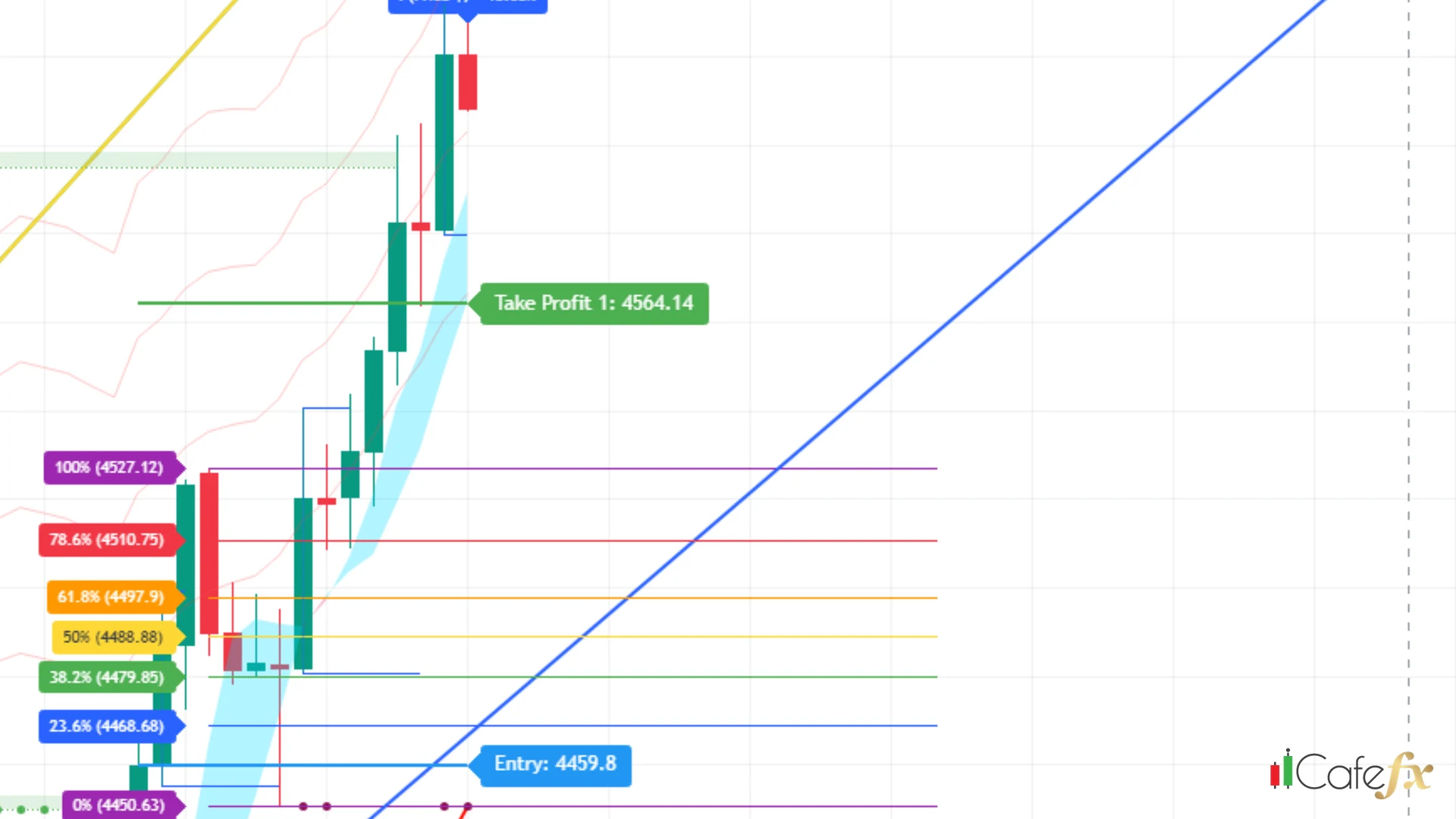
These three points sit close together but are not the same thing — read the labels carefully before you decide
8 · How the SL is calculated
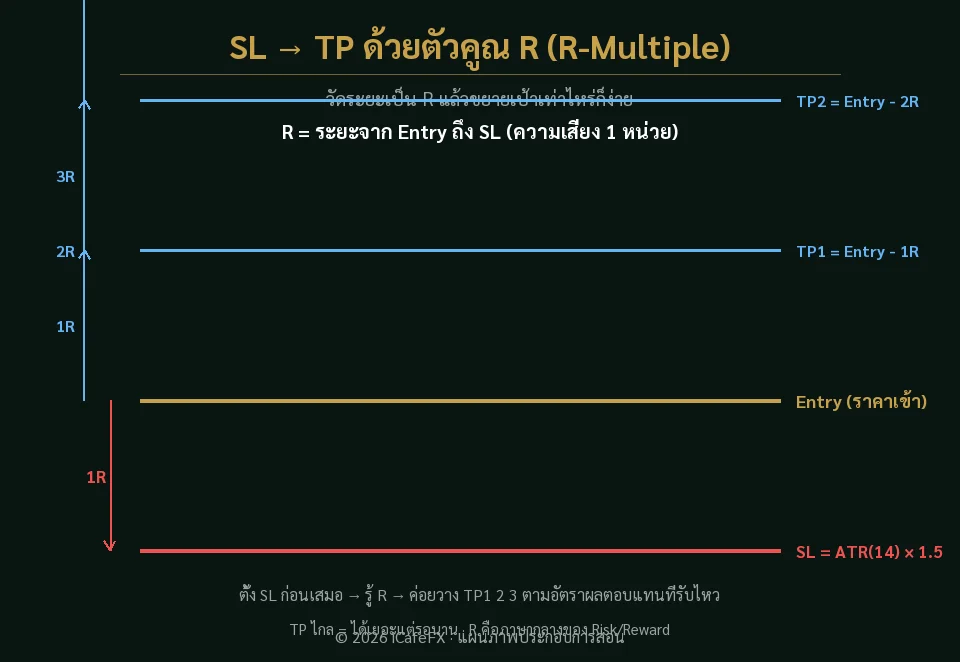
SL = ATR(14)×1.5 — one fixed formula, the same for every pair on every timeframe — ATR is the average price movement of the last 14 candles; multiply it by 1.5 and you get the SL distance
The SL does not change from pair to pair — every pair uses the same simple ATR×1.5 formula, easy to remember
9 · Auto-Detect does not change the SL
The chart has an Auto-Detect option that looks like it adjusts the SL automatically by pair — but in reality it does nothing; it is old code that no longer works, and the SL remains ATR×1.5 as always
Auto-Detect is dead code, it does not change the SL — do not be misled into thinking it adjusts anything for you
10 · TP1/2/3
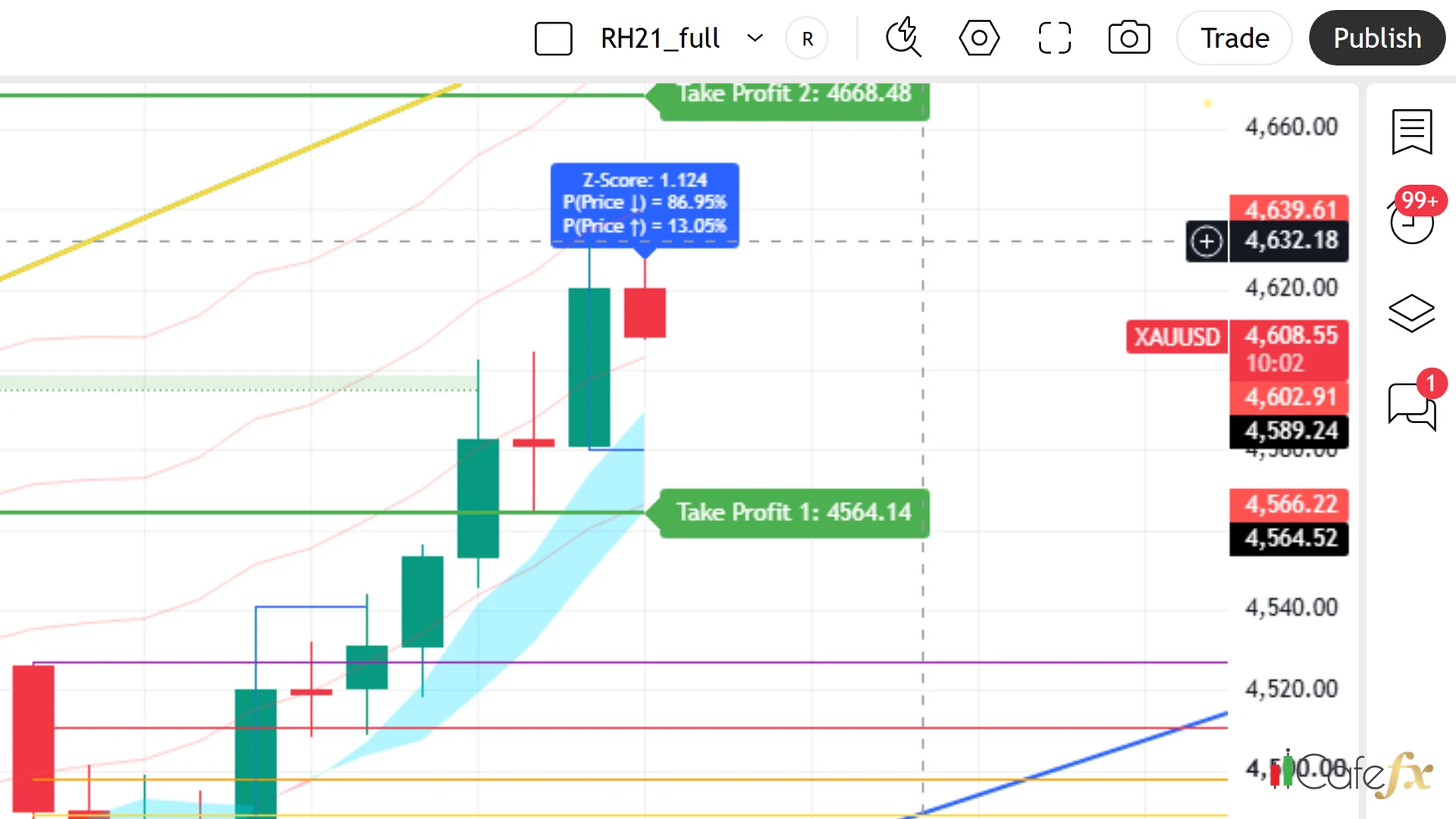
TP comes in 3 levels = 1R · 2R · 3R — R is the SL distance (R = ATR×1.5), so TP1 = 1× the SL distance, TP2 = 2×, TP3 = 3×; the farther out, the bigger the reward, but the harder it is to reach
11 · Honesty matters most
Every Entry/SL/TP value is a per-timeframe estimate, not a number that stays valid forever — it must be used together with confluence (Fib + Elliott + Gold Meter + Dashboard) before you decide to enter
- Look — at the Entry/SL/TP that Redhat has drawn
- Check — whether the confluence is ready
- Then enter — Entry/SL/TP are estimates, not a 100-percent forecast
"Entry/SL/TP are estimates — use them together with confluence"
This chapter in one line
Big signal = a Range Filter flip + 2 gates; Entry = the close of the reversal candle, SL = fixed ATR×1.5, TP = 1R/2R/3R, Auto-Detect is dead code — a signal is not an instant entry, and all of it is an estimate, to be used with confluence