PART 2 · Tools
Money zones and golden hours: Liquidity zones + Killzone
Liquidity is money waiting at the points where people's stops pile up — when price touches them it gets swept. Redhat draws these as zone bands on the screen, paired with Swing markers on the highs and lows so you can read direction, and highlights the Killzone: the London/New York hours when the market is bustling (M15 only)
Chapter summary video
Real chart screen recording · not investment advice
Listen to the TL;DR summary of this chapter
TL;DR
A liquidity zone (Liquidity zone) is an area where lots of orders are waiting; Redhat draws it as a band, paired with Swing markers on the highs and lows. Use LQ near the entry + structure confirmation — but a zone is an area, not a straight line. The Killzone is the window when the market is bustling — London and New York open, liquidity high — and you must use M15
1 · What is a liquidity zone
A liquidity zone (Liquidity zone or LQ) is an area where many orders are waiting — mostly points where stop losses pile up; when price reaches them it usually gets swept first
It comes from ICT teaching — Redhat draws it as colored bands on the screen for you, no manual drawing
LQ zone = an area where orders accumulate and price often comes to sweep
2 · What is a Swing
A Swing is a high or low where price has touched and turned; Redhat marks these swing points on the screen for you
Swings connect to Fib and Elliott: Fib is drawn from swing low to swing high and Elliott counts waves at swing points — all three use the same points
3 · How to use LQ + Swing
How to use them: watch the LQ bands near your entry, then check whether the structure (Swing) agrees — if price approaches an LQ and the Swings confirm the direction, only then consider entering
- Watch — where are the LQ bands, are they near the entry
- Check — do the Swing highs and lows agree with the direction
- Wait — is there a signal + Entry/SL/TP; only then enter
"A zone is not a line — it is an area; price can touch anywhere inside it, so do not expect a pinpoint hit"
4 · The honest scope: a zone is an area
Understand this: an LQ zone is not a straight line price will touch exactly — it is an area; price can enter anywhere inside the zone and the real entry may not sit exactly on the edge
LQ = an area, not a line; do not expect a pinpoint touch — use it as a supporting guide
5 · What the Killzone is
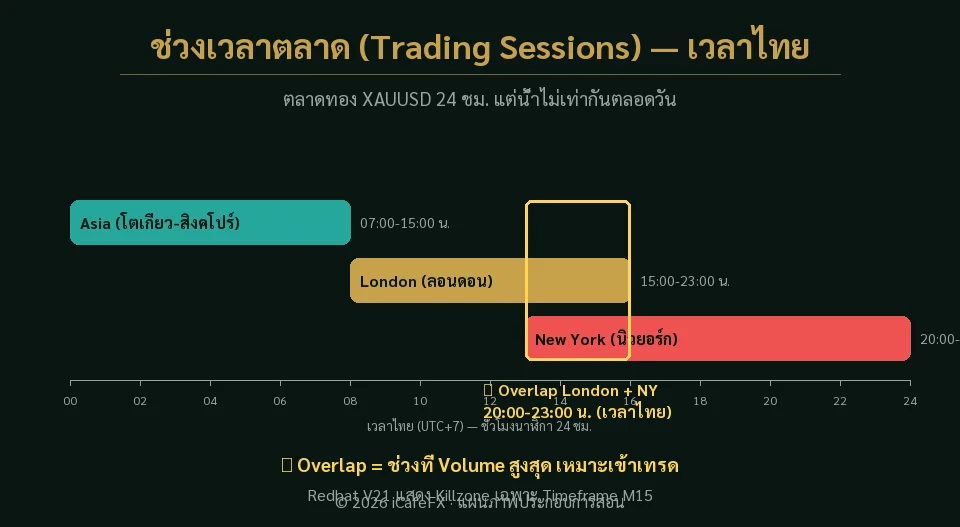
Killzone is the window when the market is bustling — the hours when London and New York are open for business, liquidity is high and price moves in a genuine trend
Picture a fresh market: in the morning it is crowded and goods move fast — the Killzone is the market's crowded hour, when signals actually mean something
Killzone = the London/New York window, bustling market, more trustworthy signals
6 · How Redhat shows it on screen
Redhat highlights the Killzone as a colored block on the chart background — you clearly see the window when the market is bustling
Important: the M15 frame only — the system scopes this to a fixed timeframe, so any larger frame will not display the Killzone
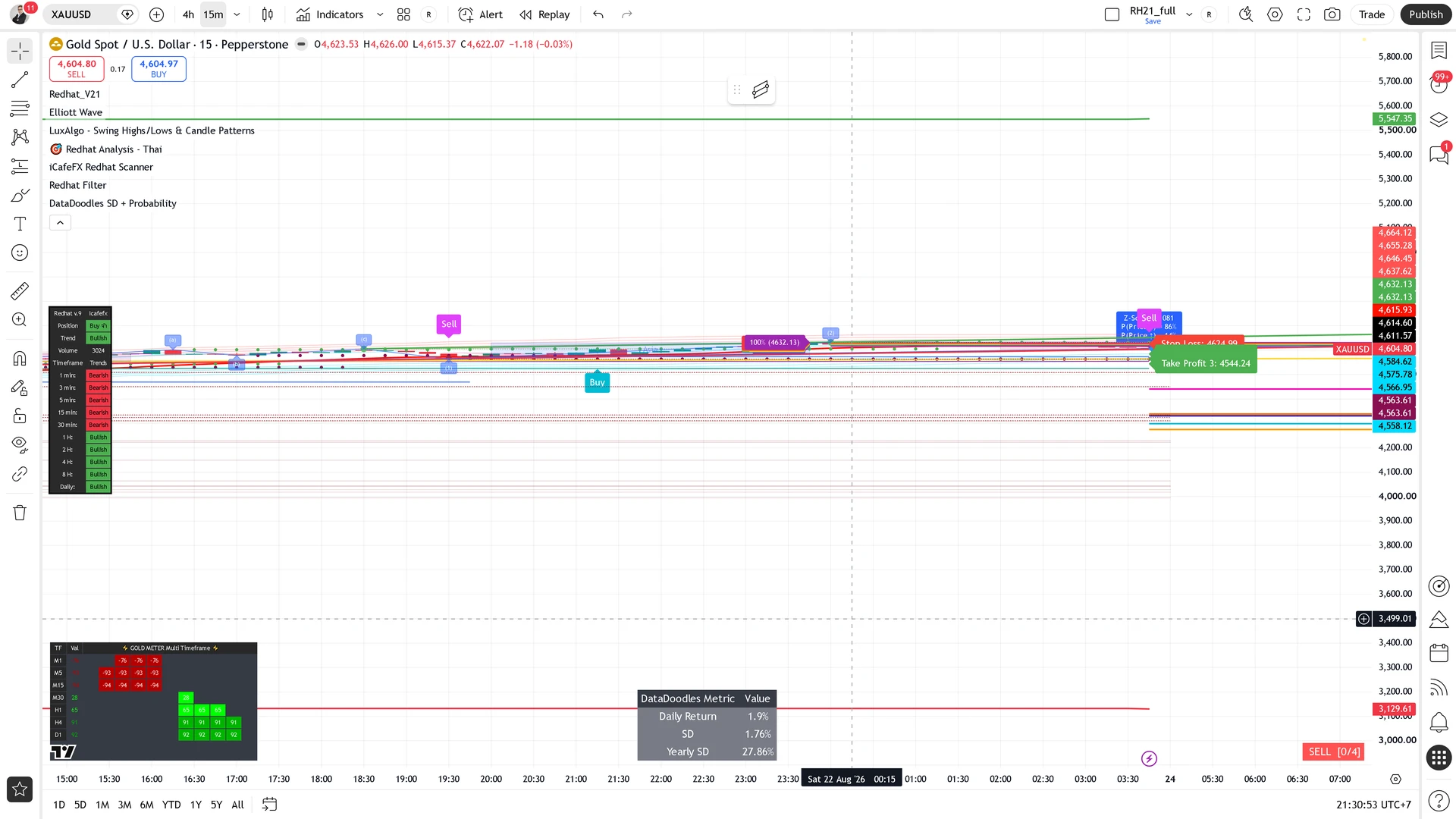
Use M15 only — larger frames will not show the Killzone (some illustrations use a larger frame so the structure is clear — real use happens on M15)
7 · How to use the Killzone
How to use it: signals that fire inside the Killzone are more trustworthy; outside the Killzone the market is quiet and signals are more often false
- Look — are we inside the Killzone right now (can you see the highlighted block)
- Check — did the signal fire inside the Killzone or in a quiet stretch
- Weigh it — signals inside the Killzone deserve more trust
"A bustling market = signals that mean something; a quiet market = signals that often deceive"
This chapter in one line
LQ zone = an area where orders accumulate and price often comes to touch; Swing = the highs and lows — use them together to find entries, remembering a zone is an area, not a line. Killzone = the London/New York window when the market bustles; Redhat highlights it, signals inside it are more trustworthy, and it requires M15