PART 2 · Tools
Support meters and dashboards
Meters and dashboards condense the market into one glance — the Gold Meter runs Williams %R across 10 timeframes (green = strong, red = weak) and is one of the gates of the big signals; the Range Filter is the backbone of those signals, with the Trend Ribbon showing direction and the Reversal Band as the gate; and the Dashboard casts the Final Vote as a percentage
Chapter summary video
Real chart screen recording · not investment advice
Listen to the TL;DR summary of this chapter
TL;DR
The Gold Meter is a meter that measures market strength across 10 timeframes at once — green = strong, red = weak, many timeframes agreeing = real strength, and it is one of the gates of the big signals. The Range Filter is the backbone of the big signals — when it flips, the direction changes (C1/C7); the Trend Ribbon tells the direction, the Reversal Band acts as a gate. The Dashboard condenses SMC liquidity into a percentage — ≥65% = strong Buy, ≤35% = strong Sell; use it as the Final Vote, not the only voice
1 · What the Gold Meter is
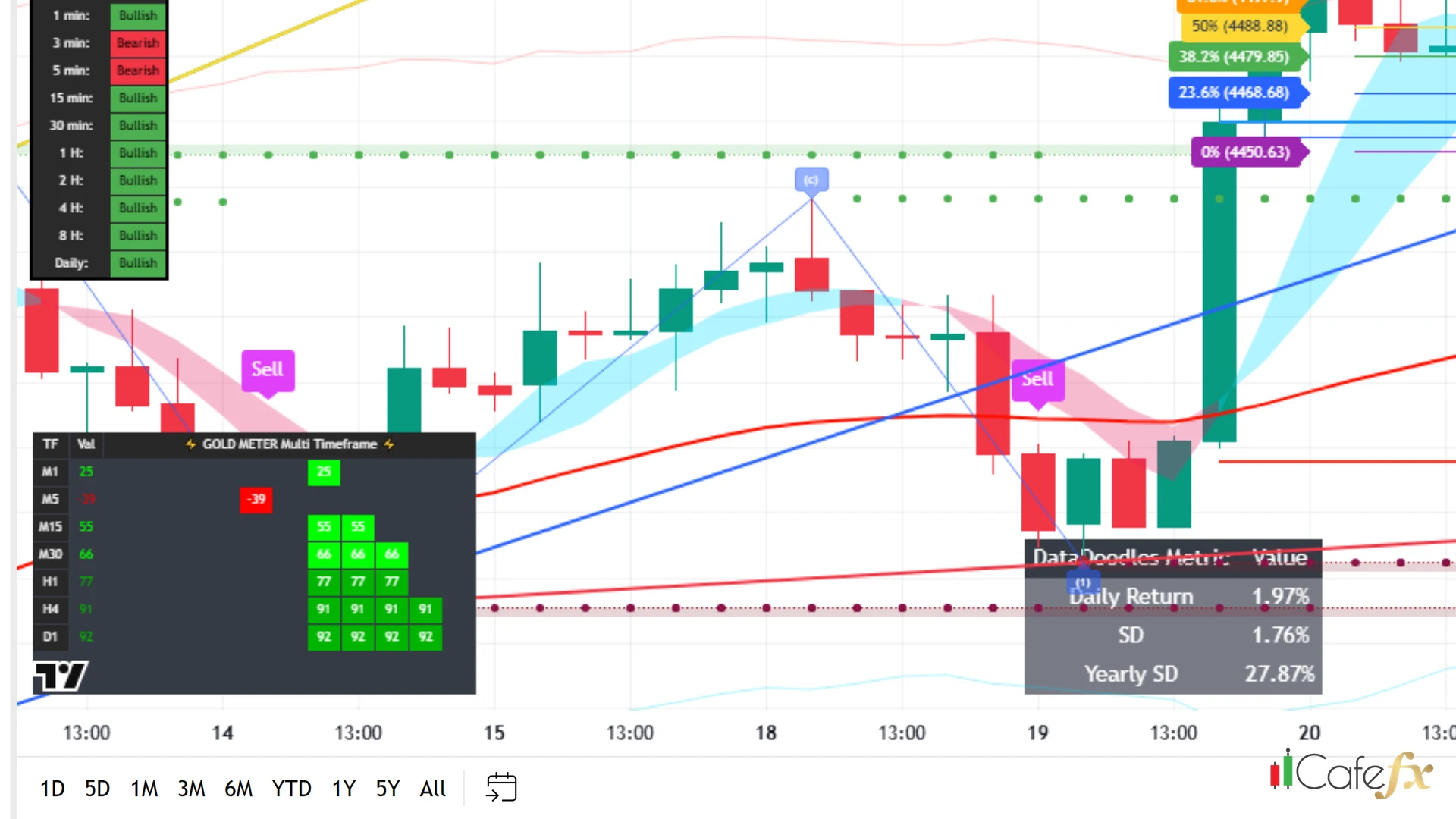
The Gold Meter is a strength meter that computes the Williams %R indicator over 10 timeframes simultaneously — it does not measure only gold, despite what the misleading name suggests
Flip on the Gold Meter switch in Redhat and the green-red panel appears on the chart
Gold Meter = Williams %R over 10 timeframes, measuring market strength
2 · How to read the panel
The panel is a row of colored cells: green = strong (bullish) red = weak (bearish) — each cell is one timeframe
Reading rule: many timeframes calling in one direction = strength; if green and red are mixed, the market is unclear — wait
Count the green cells against the red — 6 green and 4 red leans bullish, but unless 7-8 timeframes agree, do not be fully confident yet
3 · How to use the Gold Meter
The Gold Meter is one of the gates of the big signals — a big Buy/Sell signal must pass the Gold Meter gate (on by default) together with the Reversal Band
"The name says Gold Meter, but it measures every market across 10 timeframes — do not be fooled into thinking it is a gold-only meter"
4 · The honest scope: not just gold
Understand this: the name "Gold Meter" makes people think it measures only gold — in truth it measures Williams %R across 10 timeframes of whichever symbol it is on, not gold alone
Gold Meter = Williams %R over 10 timeframes, not a gold-only meter — use it as a signal gate
5 · What the Range Filter is
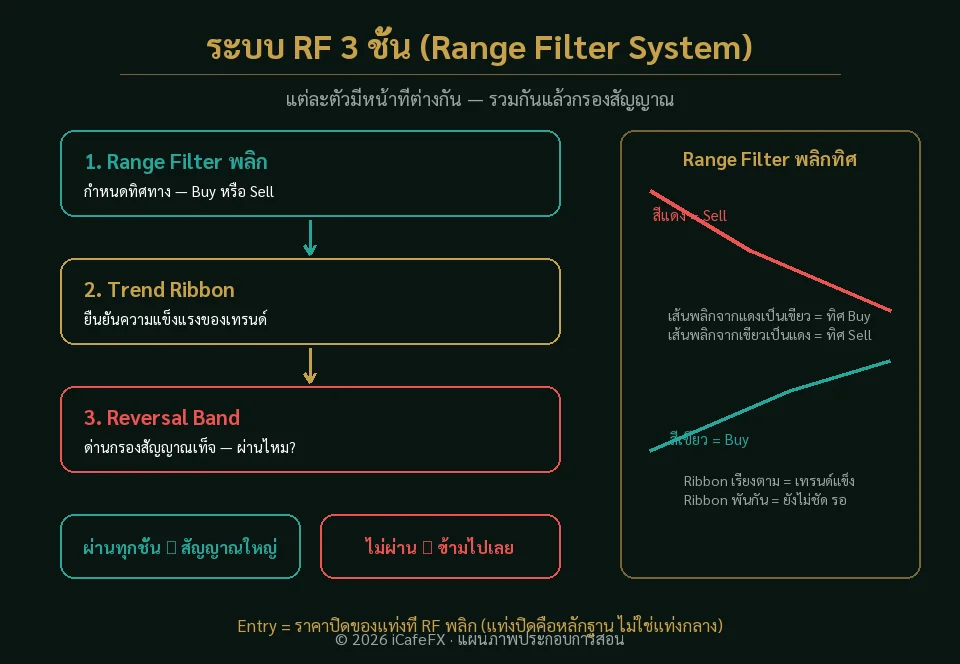
The Range Filter is the band that shows the main direction — when it flips from green to red or red to green, the main direction has changed; this is the birthplace of the big signals
The Entry of a big signal is simply the close price of the candle where the Range Filter flips
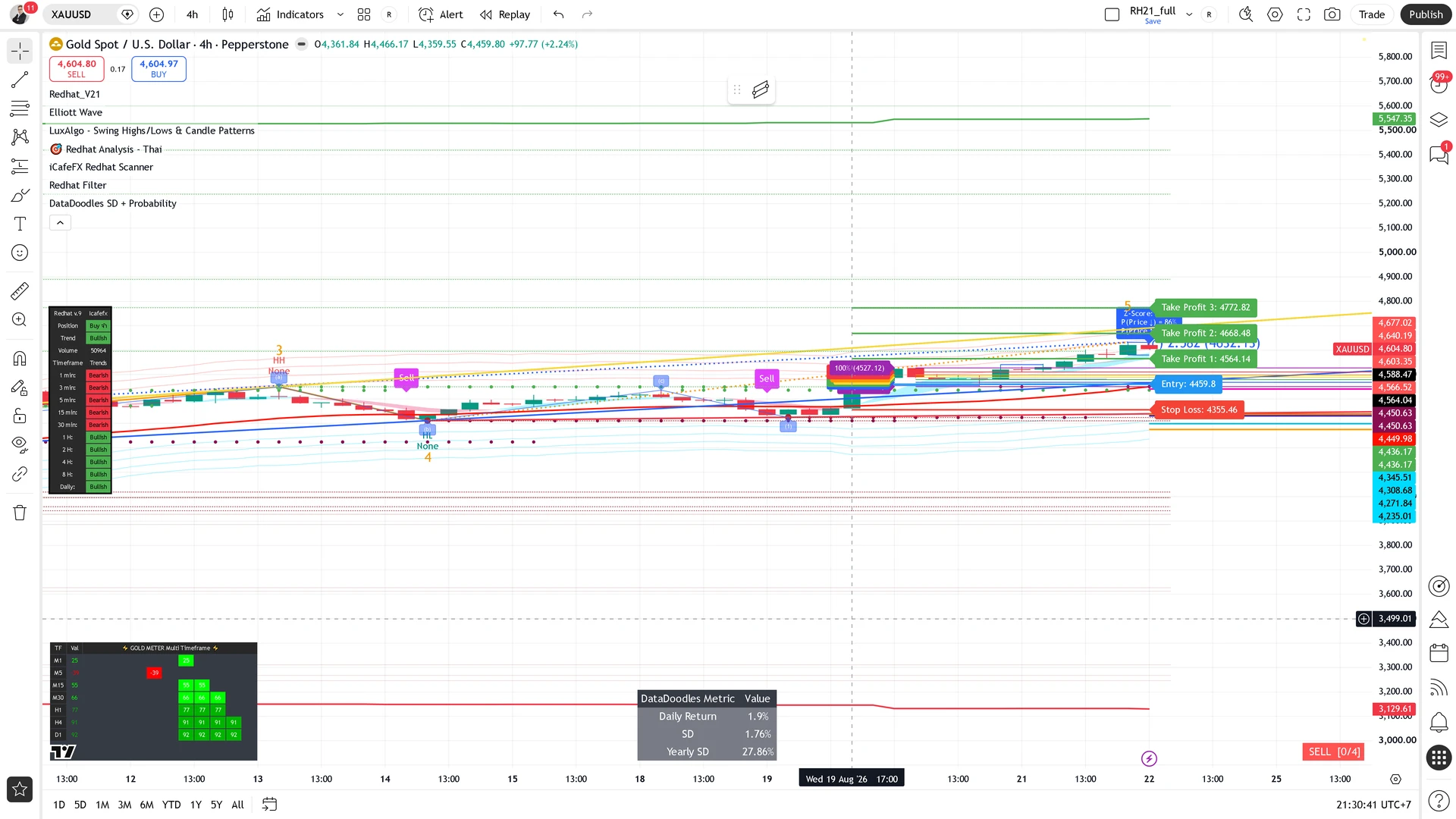
Range Filter = the main-direction band; a flip = a change of direction, and the birthplace of the big signals
6 · What the Trend Ribbon is
The Trend Ribbon is a colored band that shows the trend direction — green = uptrend, red = downtrend, easy to read on the Redhat chart
7 · What the Reversal Band is
The Reversal Band is one gate of the big signals — normally on, it serves as a signal filter that screens false signals away from real ones
8 · The three used together
The three have different jobs: the Range Filter sets the direction / the Ribbon shows trend strength / the Reversal acts as the gate
- Range Filter — sets the direction (a flip = a change)
- Trend Ribbon — shows whether the trend is strong
- Reversal Band — acts as the signal-filtering gate
"A Range Filter flip = a change of direction — this is the heart of the big signals, do not overlook it"
9 · What the Dashboard is
The Dashboard is the panel that rolls SMC-style liquidity (Smart Money Concept) into a single percentage — it tells you how many percent of the SMC tools currently agree on a direction
Flip on the Dashboard switch in Redhat and the panel appears on the chart
Dashboard = the SMC summary panel as a percentage, the Final Vote
10 · How to read the Dashboard
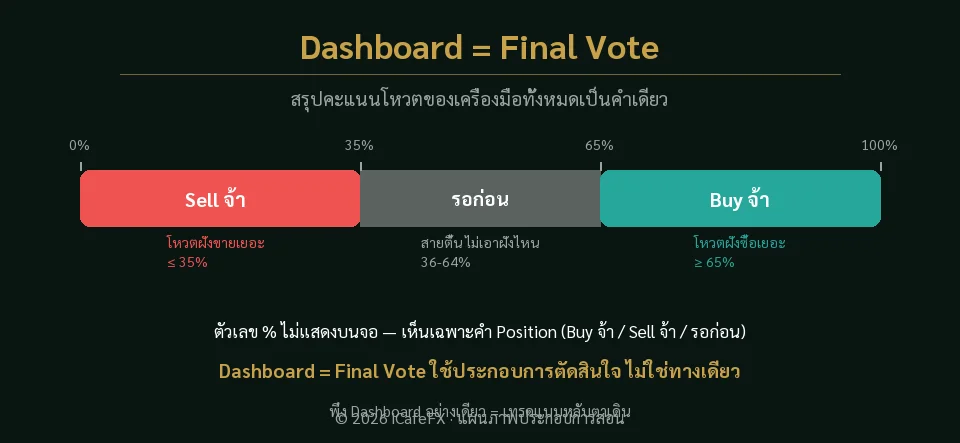
The fixed reading rule: ≥65% = strong Buy (bullish) / ≤35% = strong Sell (bearish) / the middle 35-65% = neutral, wait
Where to look: on the chart you see the Dashboard panel's Position box show the words "strong Buy" / "strong Sell" / "wait for the moment" — the 65%/35% numbers are internal logic the system uses to compute that word; you never see the 65% figure on screen, only the resulting word in the Position box
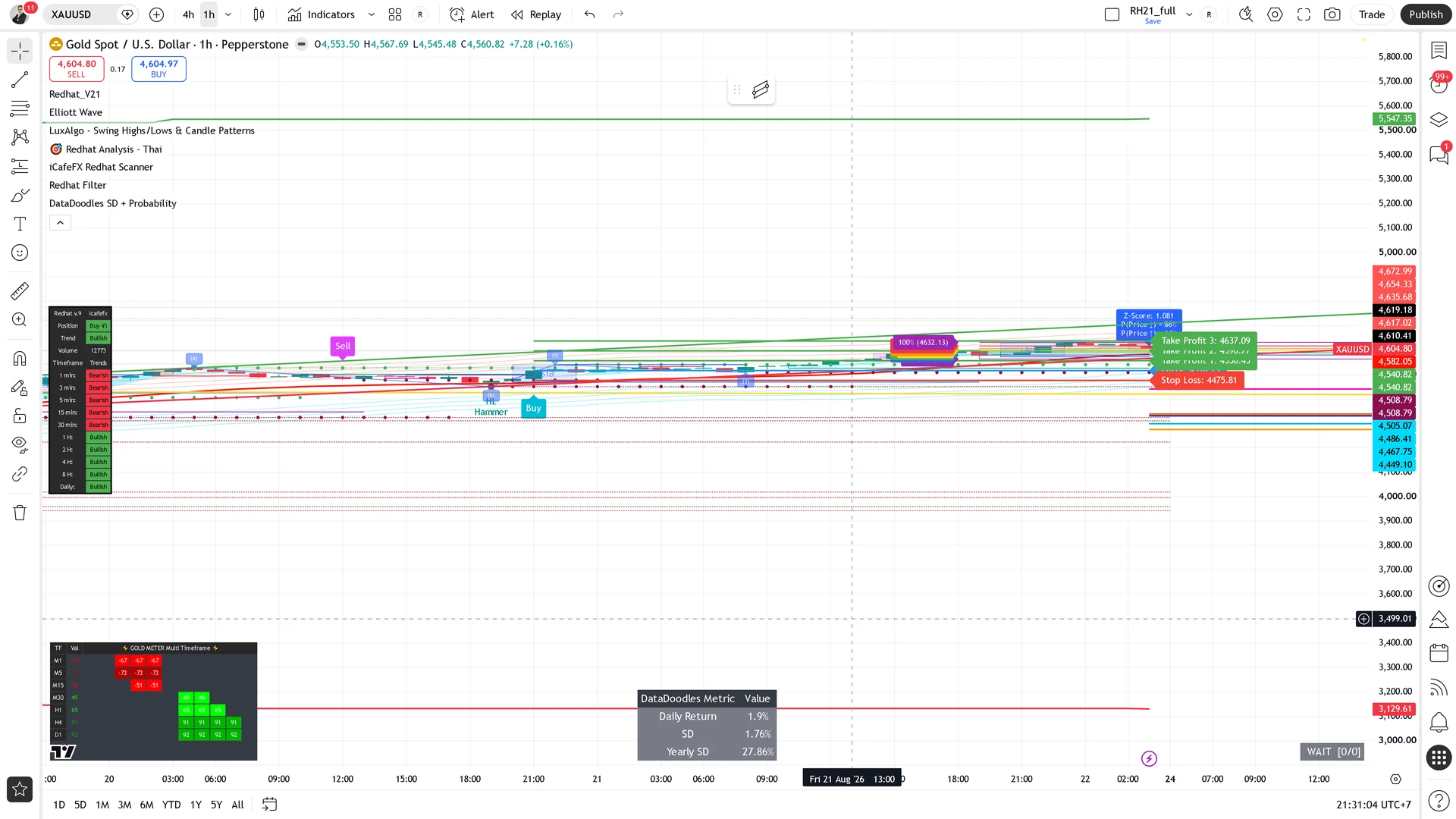
≥65% strong Buy = bullish / ≤35% strong Sell = bearish / the 35-65% middle = wait, do not be confident yet
11 · How to use the Dashboard
The Dashboard is the Final Vote, not the only voice — combine it with the other tools: direction from the Range Filter, levels from Fib/Elliott, strength from the Gold Meter, then the Dashboard casts the confirming vote
- Look — does the status word read "strong Buy" or "strong Sell" (the 65/35 numbers are internal logic, not shown on screen)
- Check — do the other tools agree
- Use — the Dashboard is the Final Vote, not the only voice
"The Dashboard is the Final Vote, not the sole verdict — use it together with the other tools"
This chapter in one line
Gold Meter = Williams %R over 10 timeframes — green strong, red weak, a gate of the big signals; Range Filter flip = a change of direction, Ribbon reads the trend, Reversal is the gate; Dashboard = the SMC summary panel — ≥65% Buy, ≤35% Sell, the Final Vote, never the only voice