— Chapter 03 · Dashboard
03
Dashboard
Main Dashboard
Redhat MCP AI screen tour · The Signal tab has 3 main sections: the Vote% bar, Multi-timeframe MTF, and 8 Filters
Tutorial video for this chapter
Chapter 03 tutorial video · 1 min 35 sec long
3 sections to know
- Vote% bar — Aggregate score 0-100% · Shows Buy/Sell/Wait direction
- Multi-timeframe MTF — View multiple timeframes simultaneously (D1 H4 H1 M15)
- 8 Filters — Filters that help confirm signals
View real screen
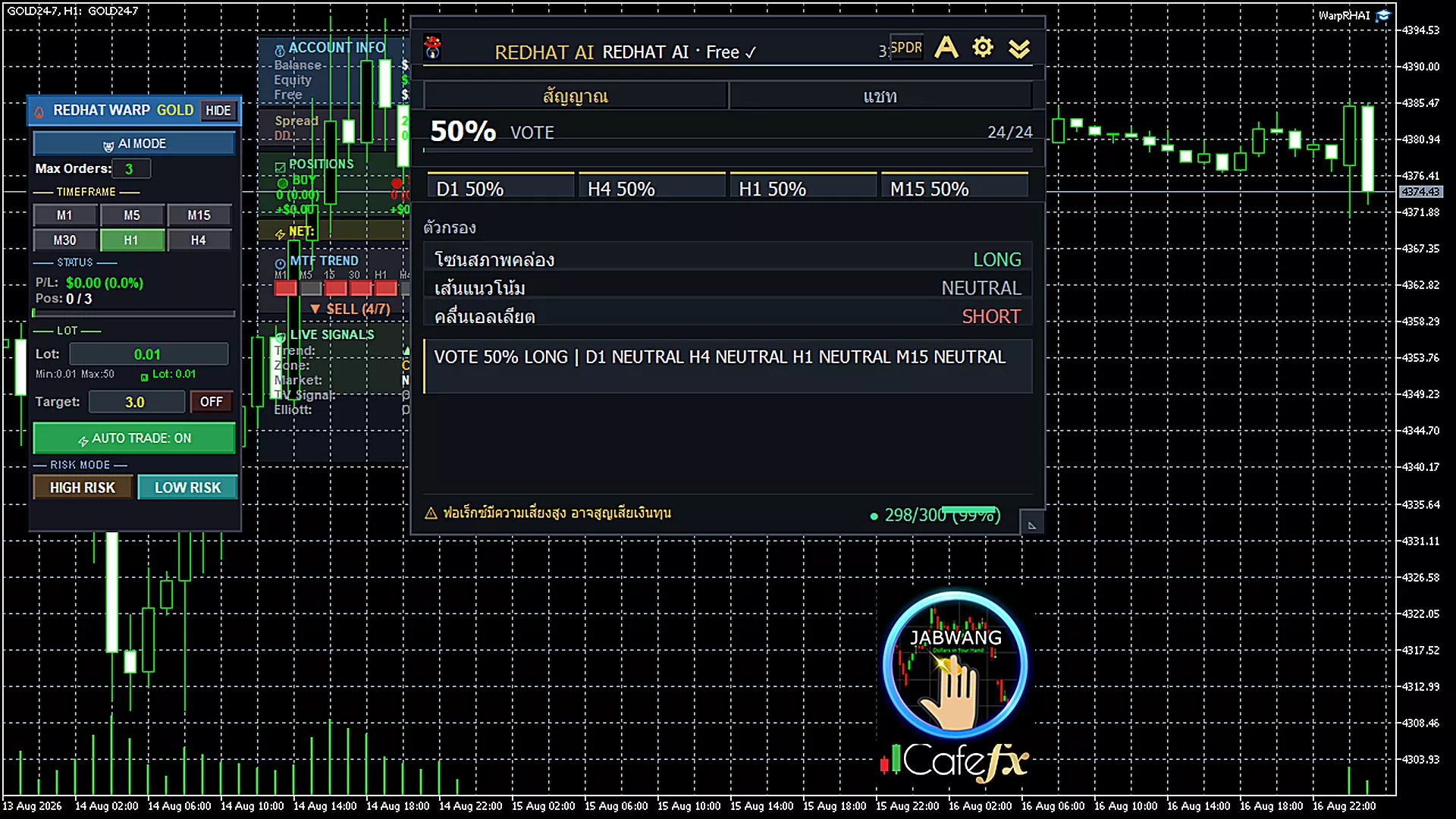
Signal tab — showing both Filters and Vote%
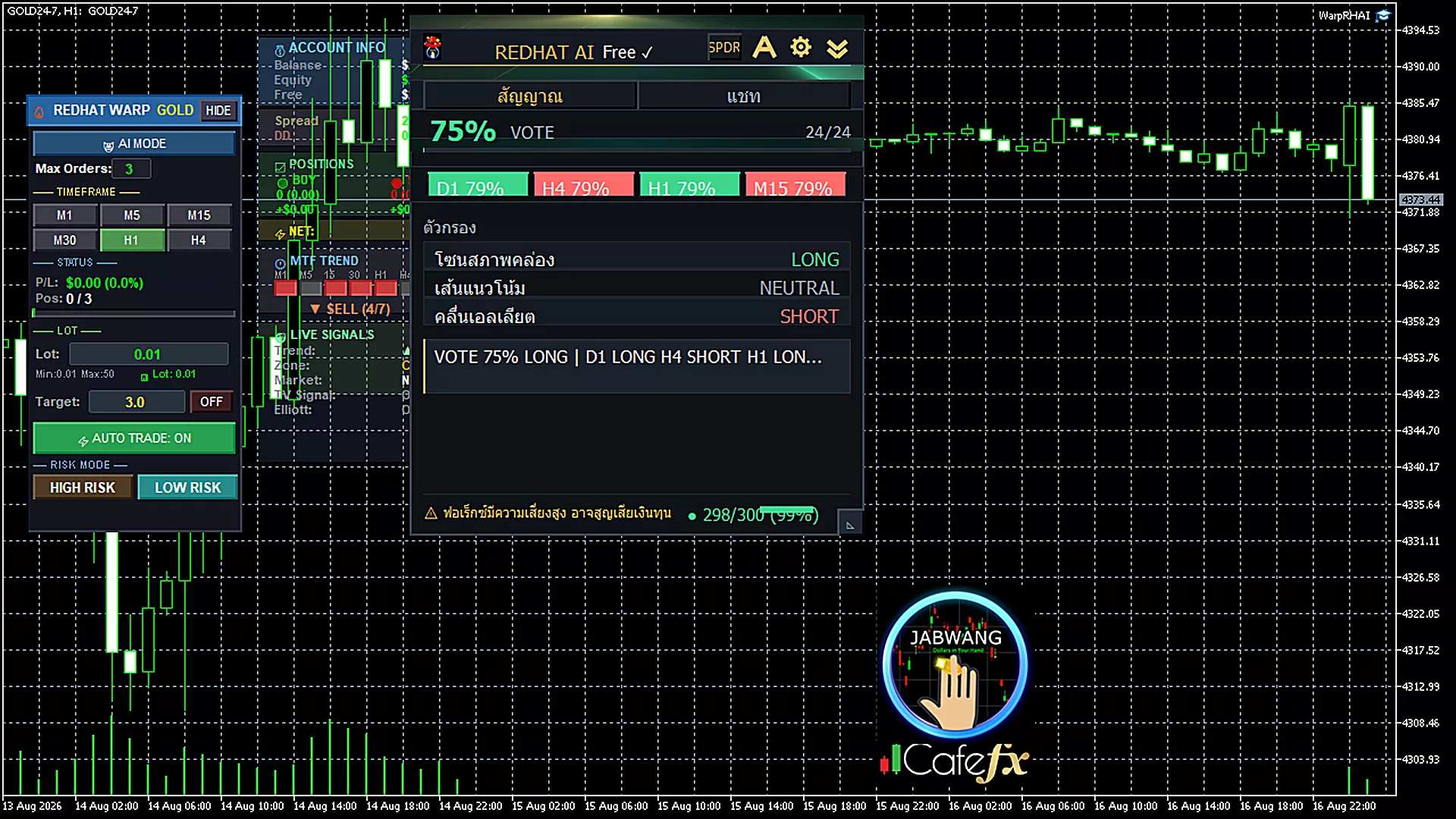
Vote% bar at 50% — Vote% not clear yet, wait
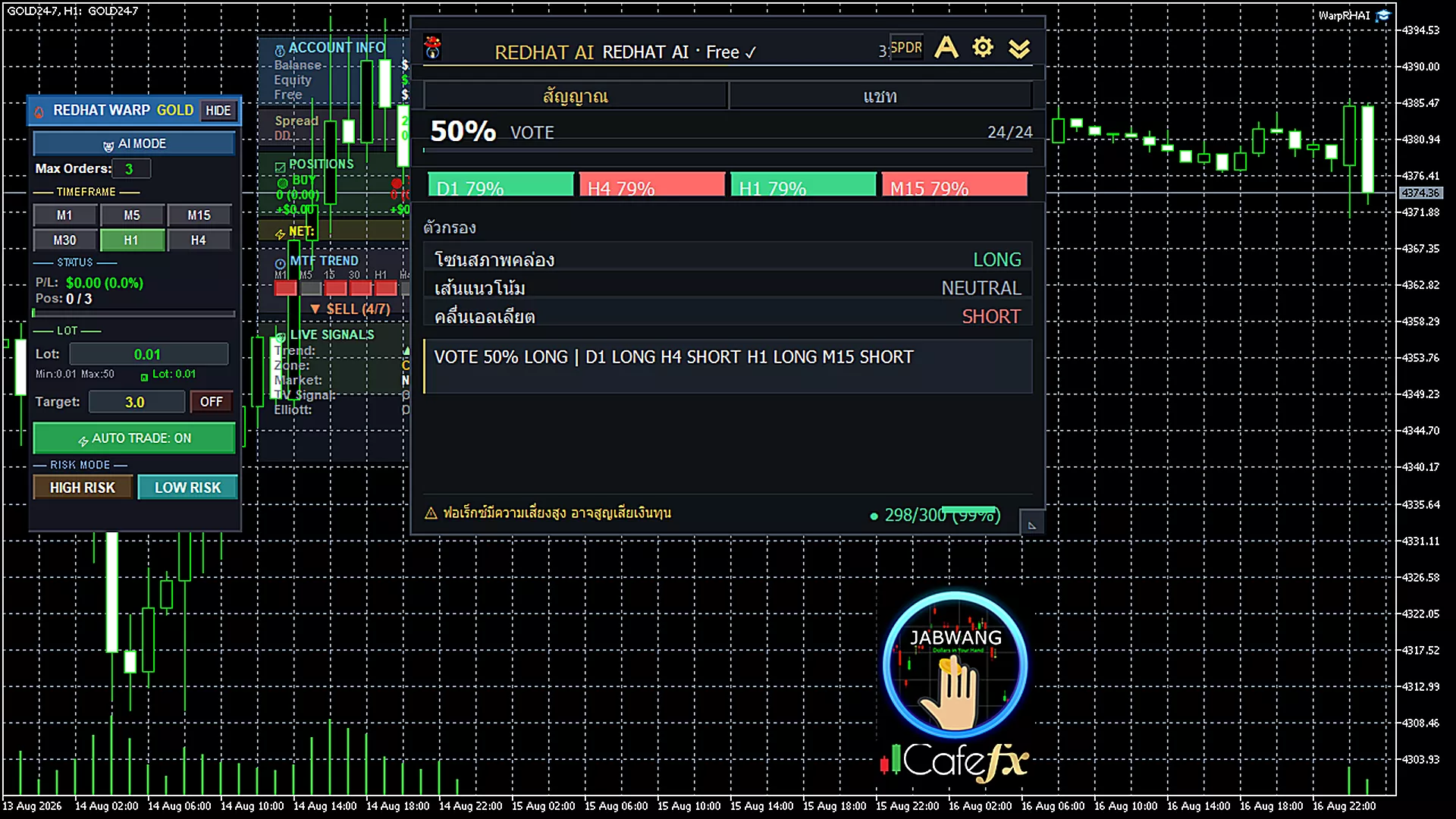
Multi-timeframe MTF — multiple timeframes aligned
Read simply
High Vote% = multiple indicators agree = more reliable signal · If Vote% is low, wait before entering
★ MTF helps you see the big picture — when all timeframes show the same direction, the signal is stronger
— Related links