— Chapter 08 · Settings
08
Settings
Settings
The panel header has 4 key buttons · switch language · open Settings menu · collapse panel · and the SPDR button · Easy to use, fully customizable

Tutorial Video for This Chapter
Chapter 08 tutorial video · Duration: 1 minute 40 seconds
Panel Header Buttons
- LANG — Switch language Thai/English
- SETTINGS — Open Settings menu · Adjust sound/language/panel size · View tier and contact links
- FOLD — Collapse panel to clear the chart view
- SPDR — Open SPDR Gold fund page to view daily institutional gold flow
What's in the Settings Menu
- Notification Sound — Turn on/off sound for new responses
- Language — Thai / English
- Panel Size — Resize to fit your screen
- Export Chat History — Save conversations for reference
- Report Issue — Contact LINE @icafefx with a screenshot
- How to Use — Open quick guide on panel instantly
- icafeforex.com link · LINE @icafefx — Shortcuts to website and team contact channels
See the Actual Buttons
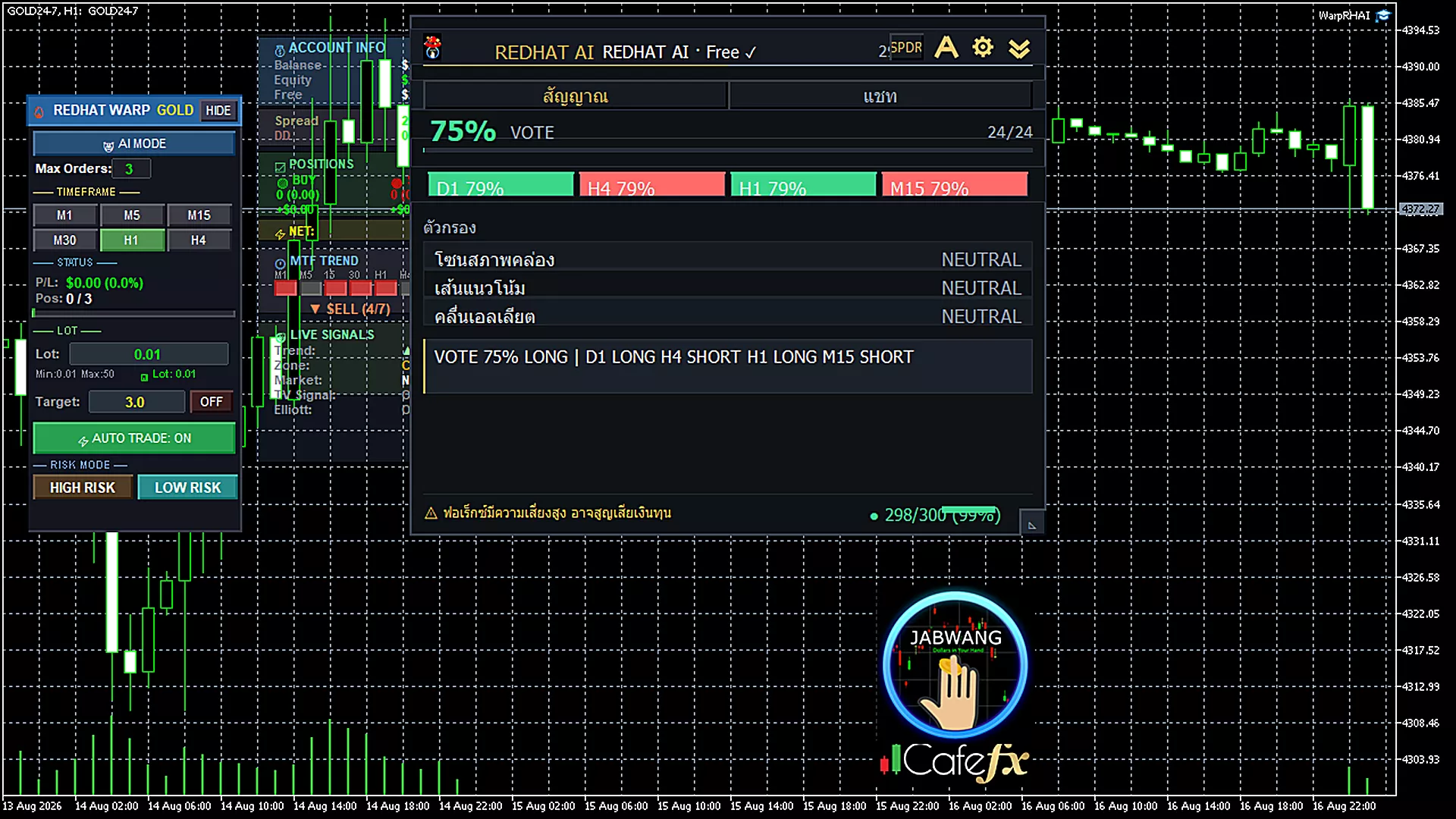
Header — All buttons LANG/SETTINGS/FOLD/SPDR
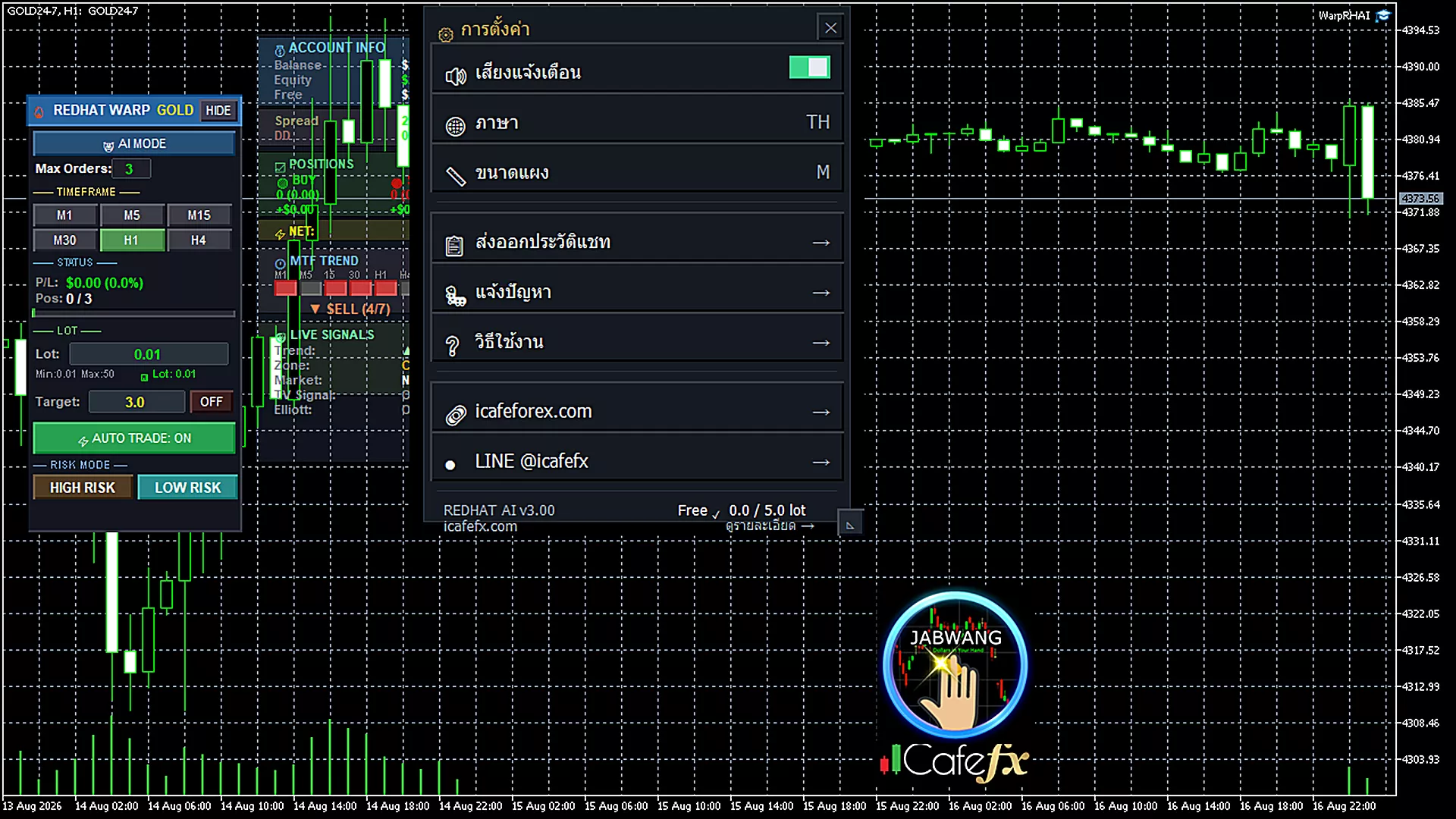
Settings menu opened — View info and contact links
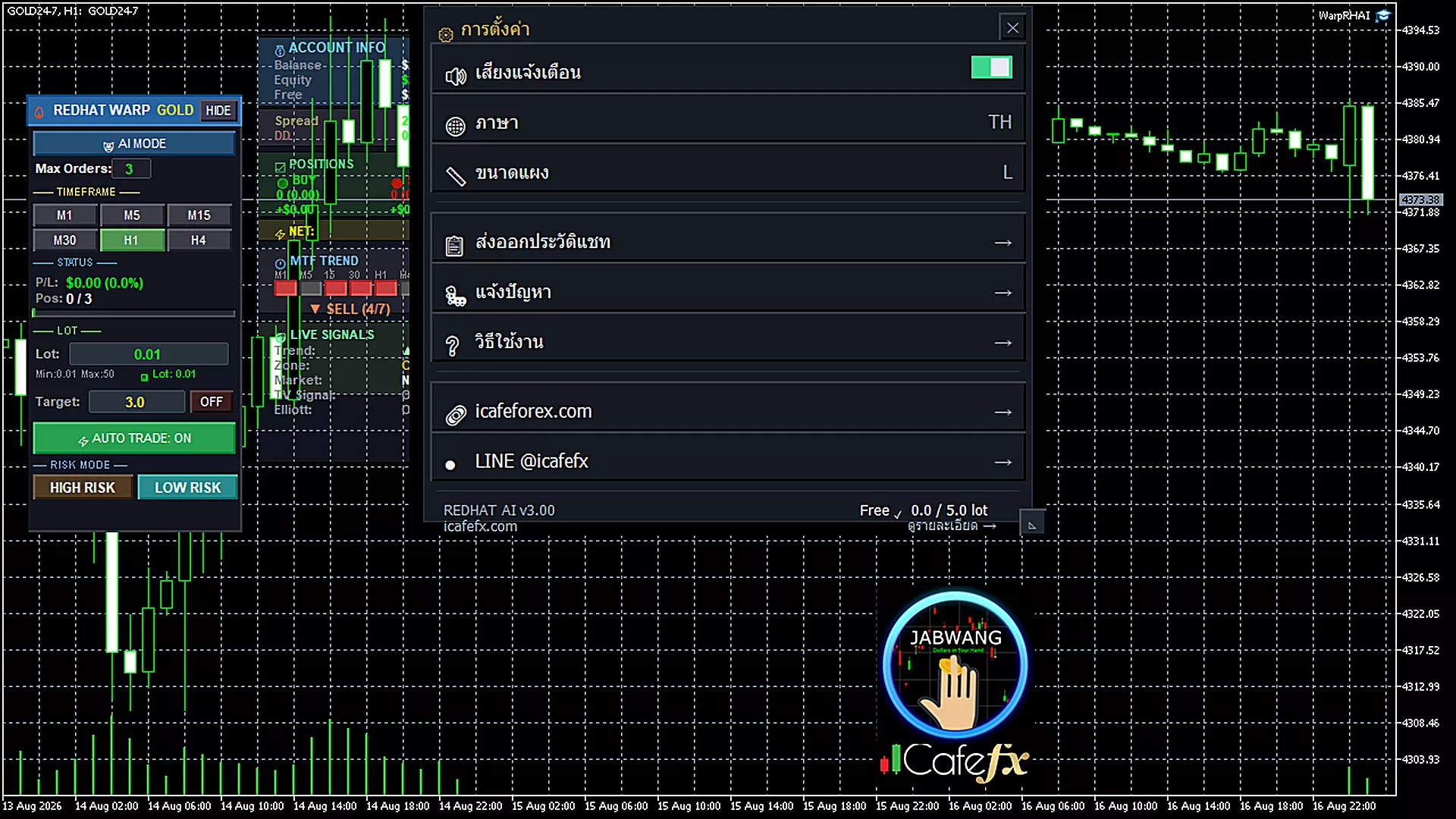
Click SPDR button — Opens SPDR Gold fund page to view institutional gold buying/selling flow in browser
Tips
If your chart is narrow, press FOLD to collapse the panel first · Expand it back when you need to see signals · Switch language anytime with LANG
— Related Links