The 6 Indicators Bundled with Sword
The six indicator names that truly ship with Sword v4.67, counted from the code files · plus a clear note on which rumored names are not in the EA
Illustrations
Chapter video
Real MT5 screen recording · not investment advice · trading involves real risk
TL;DR
According to the v4.67 code files, the EA carries six indicator names · the ones actively working are Jabwang-Mini inside the Gold Meter button · AllAverages as the average band · FIBO_Daytrade in the Show Fibo button, and the ZigZag calculation core inside the Auto SL system · the other two names are icafefx-reversal and iCafefxpanelNAKA, which are embedded but whose call sites are switched off in this version · the RHAI2 panel on the right is a separate product, not a Sword indicator
When to use this feature
Use it when you want to know where the things you see on the chart come from · use it when reading an old manual that mentions ten indicators and you want to know what is real and what is not · use it when deciding whether you can add your own indicators
How to use
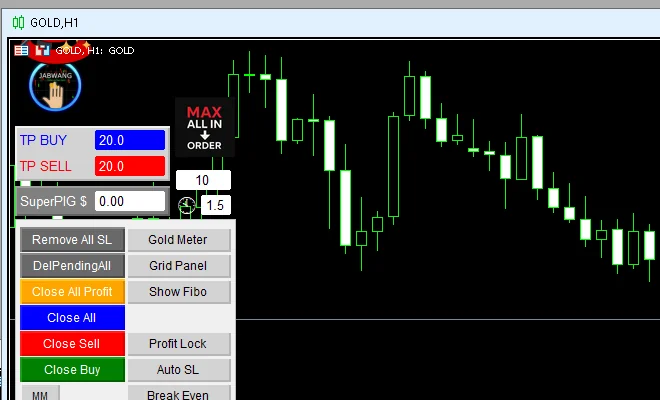
Let me count them off one by one · number one: Jabwang-Mini, the gold signal panel you see when you press the Gold Meter button — inside it carries full entry signals such as BUY GOLD along with cutoff points · number two: AllAverages, the multicolored average band the EA uses to read the trend · number three: FIBO_Daytrade, the set of level lines the Show Fibo button turns on · number four: the Custom ZigZag calculation core, written into the code to find reversal points for the Auto SL system
The other two names, icafefx-reversal and iCafefxpanelNAKA, really are embedded in the installation files, but the parts that call them were switched off in v4.67, so you never see them run on the chart · now for the names that do not exist: beware old information claiming AutoTrendline · LiquidityLevels · OrderFlowDelta · PremiumDiscount · DataAnalysisULTRA · FibonacciUltra · LiquidityZoneV6 · TrendRibbon · SMC or VolumeProfilePOC — these ten names are not in the Sword code at all · if you run into a manual citing these names, treat that information as outdated
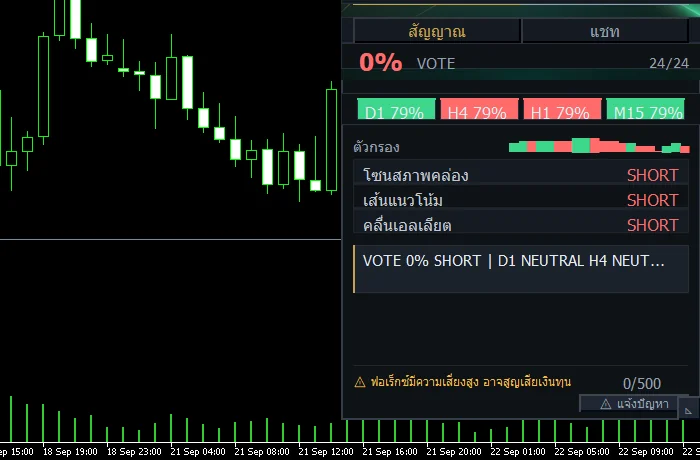
Last point: the chat panel on the right side of the chart is called RHAI2 · it is a separate product that ships alongside the installation package, with its own system — it is not a Sword button or indicator
Pro Tip · Mr. Bom
Do not pile on too many indicators · I recommend using Gold Meter to read signals and the Fibo lines to find zones, then making the decision yourself · a clean chart helps you decide more clearly · and whatever the indicator, try it on Demo first — trading involves real risk
FAQ
Q: How many indicators does Sword have?
A: Counting the v4.67 code files gives six names; three of them are actively working
Q: I heard there are ten. Is that true?
A: No — the old ten-name list was checked and none of it is in the code
Q: Can icafefx-reversal be enabled?
A: In v4.67 its call sites are switched off; the file is embedded but it does not run on the chart
Q: Is the RHAI2 panel on the right part of Sword?
A: No — it is a separate product that ships with the installation package, with its own system
Q: Can I add my own indicators?
A: Yes — drag them from the Navigator window onto the chart, though I recommend keeping them few and just enough
See also
Follow Mr. Bom on LINE
Ask further questions on LINE @icafefx · new version updates · signals and manuals, all free
Download Redhat Sword free
Semi-Auto Trading Panel · MT5 · XAUUSD · always try on Demo before any live account · trading involves real risk