What is Redhat WARP — and how to install it
⏱ ~7 min · 1327 words · English
Before you press any button, know how WARP helps you trade gold and who it suits - then get it running on your own gold chart within minutes.
Redhat WARP is an EA (automated trading system) built to run on MT5. It watches the market for you, looks for setups that match its rules, then opens and closes orders on your behalf — and you can still trade manually at any time through the panel on the chart.

Chapter summary video · panel footage + voice (Demo · 3:09 + 4:35)
Screens from a demo account · press play to hear the summary · not investment advice
Quick summary
- WARP = an EA (automated trading system) on MT5 built for gold, with BTC and ETH supported
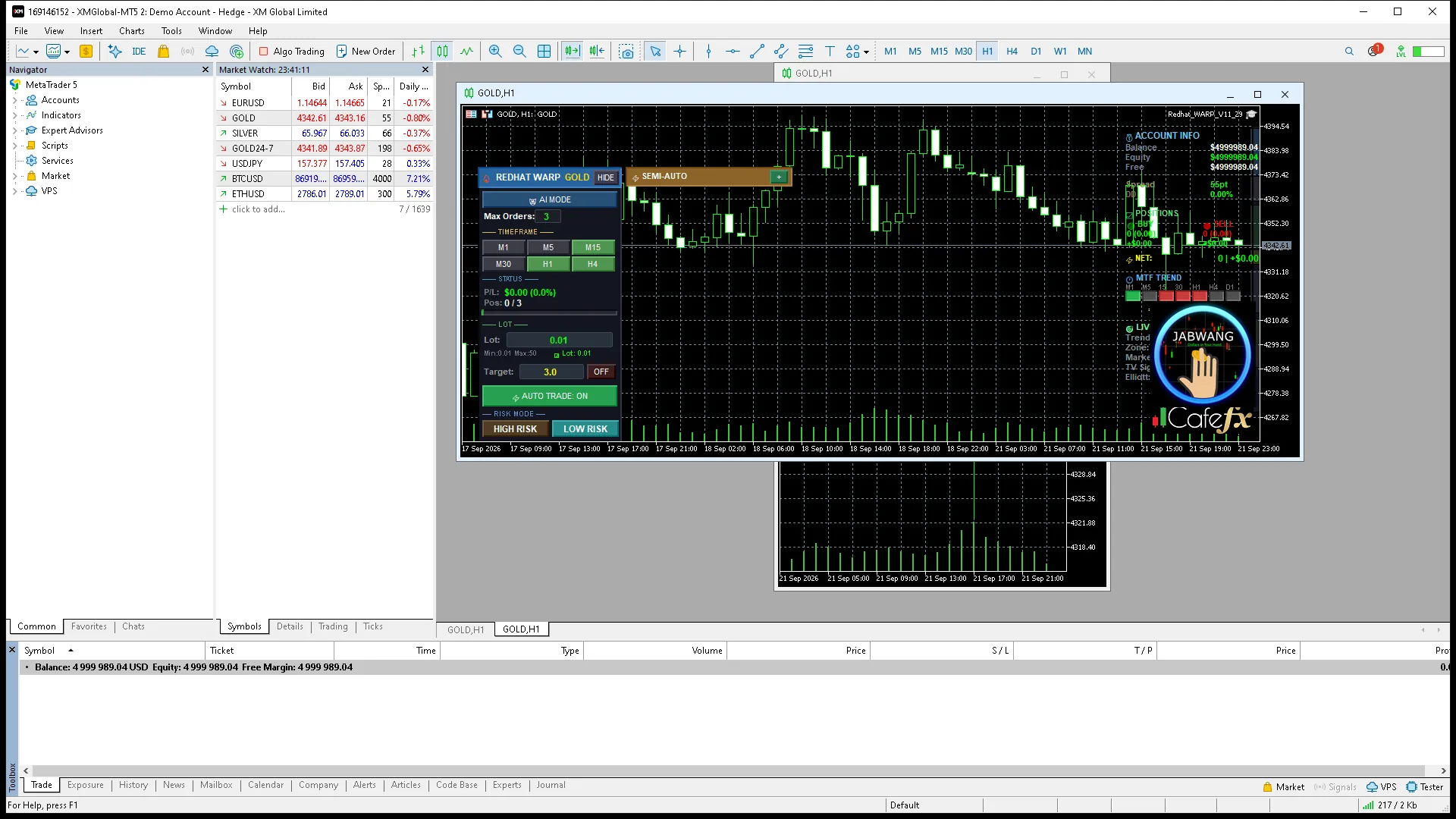
- The real screen has 2 panels: tools on the left + Redhat V11.29 info on the right
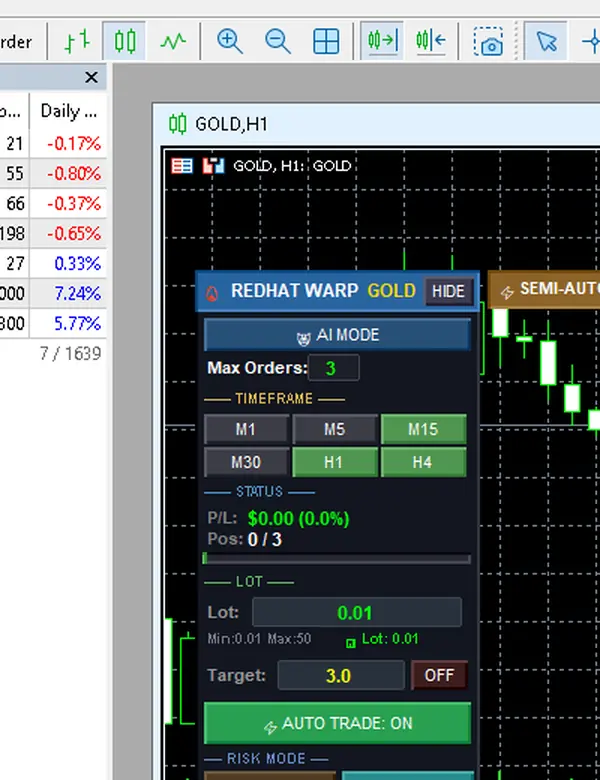
- WARP has two real switches: the AUTO button on the toolbar (green = hunting for a setup · red = stopped) and the HIGH RISK / LOW RISK buttons on the panel (LOW is the default) — there is no separate AI mode to pick; the AI MODE button is a slot reserved for the future
- No system guarantees results — always start on a demo account
- Install order: get the file on LINE → Experts folder → open in Navigator → drag onto the GOLD H1 chart
- It installs fine without DLL Imports enabled (tested; the panel works normally)
- You must tick Allow Algo Trading under Options → Expert Advisors
- How you know it is done: the left panel appears in full + the AUTO button stays red (not started yet)
What WARP is and who should use it
WARP is an EA (Expert Advisor · an automated trading system on MT5) designed primarily for gold — it watches the chart for you, waits for the right conditions, then manages opening and closing positions according to the rules you set. You can still place manual orders at any time through the SEMI-AUTO bar.
Suits: gold traders with capital discipline who want a system to help with timing · Does not suit: people expecting guaranteed profit, capital that cannot absorb drawdown, or anyone unwilling to try it on a demo account first
Overview of how it works
The right panel (Redhat V11.29) is a display: balance · open orders · trend across 7 timeframes · live signals — read-only, with no trading buttons · the left panel is the real control workspace (the full map is in chapter 2)
Numbers you will meet often in this manual: Lot 0.01 · no more than 3 positions · positions added 50 points (5 pips) apart · target 3.0R — every number comes from checking the real panel on a demo account
Before you install
What you need: MT5 from a broker that offers gold · the Redhat_WARP_V11_29.ex5 file (received via LINE @icafefx) · a demo account ready to use — always start with Demo
A common question: do I need to enable DLLs — no · I tested on V11.29: with Allow DLL imports left off, I dragged the EA onto the chart, and the panel came up complete and worked normally
Installation in 6 steps
1) Open File → Open Data Folder → MQL5 → Experts · 2) Drop the redhatWARP_real folder in · 3) Restart MT5 or press Refresh in the Navigator · 4) Open Tools → Options → Expert Advisors → tick Allow algorithmic trading · 5) Drag Redhat_WARP_V11_29 onto the GOLD chart on H1 · 6) Press OK — the left panel appearing in full means the install succeeded
Success checklist: a smiley-face icon appears next to the EA name on the chart · the AUTO button on the toolbar is red (not working yet) · the right panel is titled Redhat V11.29 — all three present means you are ready; continue to chapter 2
Pro Tip · Mr. Bom
Before you start anything, I give you a short exercise: which part of your capital could disappear without breaking your heart? That answer is your ceiling. WARP is a tool, not an automatic money machine. How good it is depends on who configures it. Try it on a demo account first — the risk is always real.
Half the emails I receive come from files dropped in the wrong place — putting it in Indicators instead of Experts is the most common first mistake. Check again before restarting: the path must always end at MQL5/Experts, and only then drag it onto the chart. Try it on a demo account first — the risk is real from the very first position you start.
FAQ
⚠️ For education only, not investment advice · always try a demo account first · screenshots from a demo account
Related chapters
Get Redhat WARP free via LINE @icafefx
Add LINE to receive the EA + the manual + usage guidance · works with any MT5 broker that offers gold · always start on a demo account